Rough material keeps its purpose.
Capture fragments, quotations, questions, and developed passages in the writer's notebook instead of flattening them into one crowded document.
Strut is an AI-powered workspace and notebook that helps you create, expand, and organize essays, articles, reports, and manuscripts from the notes you already have.
Free to use - Collect 2,000 AI tokens every day you visit, up to 80,000. Pro removes every limit: start a free trial.
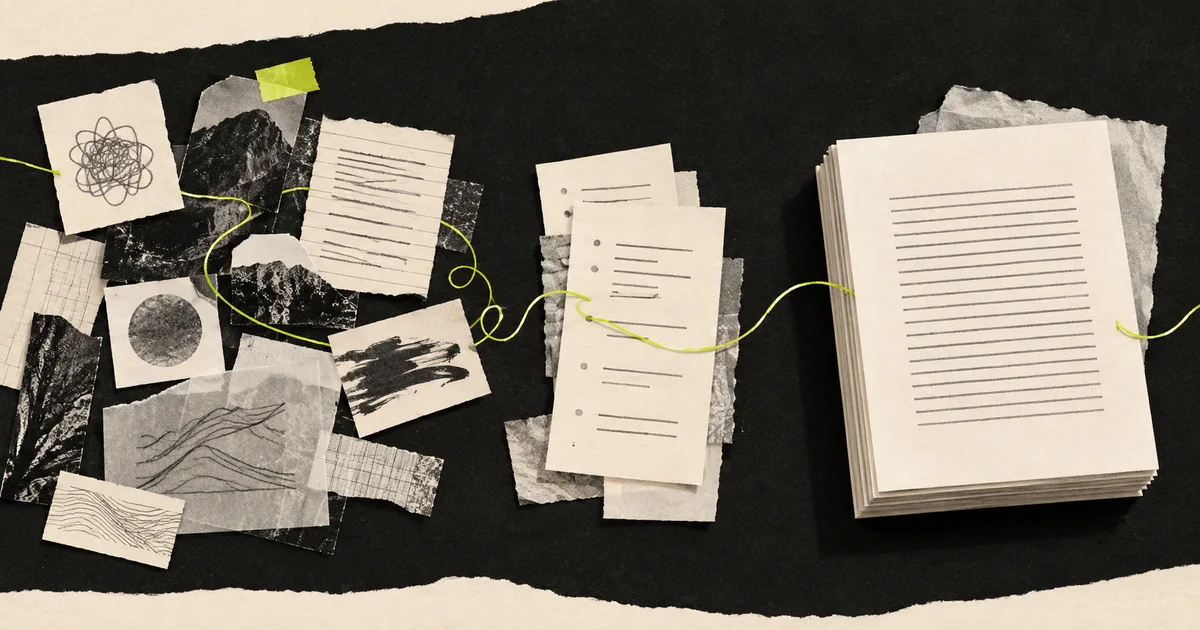
FROM FRAGMENT TO MANUSCRIPT
Ideas rarely arrive in outline order. Strut keeps rough notes, developed passages, structure, and the full draft connected as the work grows.
Catch rough notes, fragments, quotations, and questions before they disappear.
Expand a promising note, connect related ideas, and discover what the piece wants to say.
Arrange material into an outline, sections, or chapters without losing the source context.
Build and revise the full draft with context-aware AI that follows your direction.
Outline, sources, version history, and a context-aware assistant around one manuscript - See how the writing workspace features connect instead of using four apps that pretend to cooperate.
Every switch asks the writer to rebuild a small world: the reader, the argument, the evidence, the sentence that almost arrived.
A connected workspace protects that world long enough for an idea to become useful.✦ Strengthen this passage
A connected workspace holds the reader, the argument, and the half-finished sentence in place - So returning to the draft costs a minute instead of an hour.
A long piece is more than its current paragraph. Strut keeps the notes, evidence, structure, manuscript, and revision trail close enough to inform the work without turning every writing session into a search through old tabs.
Capture fragments, quotations, questions, and developed passages in the writer's notebook instead of flattening them into one crowded document.
Import TXT, Markdown, CSV, PDF, Word, or spreadsheet files. Read selectable PDFs by page and save useful passages through the research workspace.
Keep documents, sections, word goals, and project material together so the long-form project still makes sense when you return days later.
Compare versions, inspect AI replacements as a word-level diff, and collect feedback through the review workflow before a draft moves forward.
The right tool depends on where the context lives and how much control you need over changes. Strut is built for projects that accumulate material and survive many writing sessions - Not for replacing every quick question or familiar document.
See the full writing-tool comparison| Writing need | Strut | Chat window | Document editor |
|---|---|---|---|
| Project context | Notes, sources, outline, and draft stay in one project. | Context is supplied through a conversation or separate project setup. | Context usually lives across files, pages, or folders you organize. |
| AI changes | Works on a selected passage and waits for your approval. | Returns a separate response for you to evaluate and place. | AI behavior varies by editor and plan. |
| Revision control | Saves a version first and shows replacement text as a word-level diff. | Comparison with the manuscript is usually manual. | Document history may exist; AI-specific review varies. |
| Without AI | Notes, editing, sources, versions, review, and export still work. | The conversation is the product. | Core drafting and collaboration still work. |
| Best fit | Long work developed from notes and evidence over multiple sittings. | Questions, brainstorming, and isolated text transformations. | Linear drafting and familiar document collaboration. |
Give AI your rough notes, outline, relevant sources, and current section - Then develop the draft one deliberate operation at a time.
Free outline generator for articles and essays: shape your topic, reader, promise, evidence, and constraint into a guide, comparison, tutorial, or case study.
Open toolFree writing brief generator: settle the reader, promise, claim, evidence, scope, reader action, channel, and a channel-specific definition of done.
Open toolFree focus sprint planner and timer for writers: calculate setup, protected work, and closing time around one finish line, distraction, and restart cue.
Open toolUse the free writing tools when one decision is blocking the draft. Need a complete document structure instead? Start with a copy-ready writing template. Prefer to see the assistant first? Read what Strut AI does inside a long-form draft.
What an AI writing workspace is, how it differs from a chat window, the layers it keeps together, and how to judge whether one suits your work.
Read guide
Build a lightweight note system that keeps reading, meetings, and stray observations in a form your next essay, report, or book can actually use.
Read guide
A working structure for a long-form writing project: one project home, research kept separate, a live outline, one current draft, clear stages.
Read guide
Edit a long draft with other people: diagnose it first, give each decision one owner, run the revision passes in order, and turn comments into changes.
Read guide
Design writing sessions that hold: pick a visible finish line, prepare the runway, park stray ideas, and stop with a note that makes tomorrow easy.
Read guide
A walkthrough of the Strut workspace: create a project, capture rough notes, import sources, draft in the editor, and export a finished manuscript.
Read guideThis shelf changes every hour. Every public page takes a turn here, while the permanent topic hubs remain available above.
Free outline generator for articles and essays: shape your topic, reader, promise, evidence, and constraint into a guide, comparison, tutorial, or case study.
Open pageFree writing brief generator: settle the reader, promise, claim, evidence, scope, reader action, channel, and a channel-specific definition of done.
Open pageFree focus sprint planner and timer for writers: calculate setup, protected work, and closing time around one finish line, distraction, and restart cue.
Open pageUse this essay template to shape a clear claim, explain why it matters, order the strongest evidence, answer an honest objection, and reach a useful conclusion.
Open pageUse this chapter template to open in a concrete moment, establish the chapter's turn, develop its consequences, and create a purposeful link to what follows.
Open pageUse this article pitch template to present a working headline, the story and why now, your access and sources, your experience, proposed length, and delivery.
Open pageUse this research memo template to record the question, source findings, disagreements, unresolved gaps, confidence limits, and their effect on the draft.
Open pageUse this literature review template to compare themes, methods, and evidence, explain disagreement, and identify a precise gap around one research question.
Open pageReported writing lives or dies on whether you can find the quote, the document, and the context under deadline.
See the workflowMost essays are not lost at the writing stage. They are lost in the gap between the reading and the first paragraph.
See the workflowA thesis is a long argument assembled from more reading than anyone can hold in their head.
See the workflowA weekly deadline punishes anyone who starts each issue from a blank page.
See the workflowTechnical writing is mostly accuracy, consistency, and surviving review.
See the workflowA book is written over months, but it has to read as though it were written in one sitting.
See the workflowA funding application is judged on evidence, and the evidence is never where you left it.
See the workflowWriting in one voice is hard. Writing in four, in the same week, is a different problem entirely.
See the workflowEvery operation runs on a passage you selected and returns a suggestion beside your draft. Nothing is rewritten in place, so the manuscript only changes when you decide it should.
Before any AI result replaces text, a restorable version is written. You can compare it against what came before and roll back to it weeks later.
Text is processed only to complete the operation you asked for, and never used to train models. The privacy policy states this plainly.
Editing, notes, search, version history, collaboration, and exports keep working when the AI allowance runs out. The workspace is not a wrapper around a model.
An AI writing workspace is a writing environment where your rough notes, research sources, outline, and full draft live together, and where the AI operates on that material instead of on an empty prompt. The difference from a chat window is context: the assistant already knows the manuscript you are working on.
A chatbot starts every session empty, so you re-explain your project before you can ask for anything. Strut gives you named operations - Expand, outline, strengthen, critique and more - That run on a passage you select, using the notes and sources already in the project.
No. Every result appears beside your draft, not inside it, and only lands when you accept it. Replacements are shown as a word-level diff and a version is saved first, so any AI edit can be undone.
Yes. A free account includes one project with up to three documents, unlimited notes and version history, imported sources, and 20,000 AI tokens to start. Returning users collect 2,000 more each day, up to 80,000 in total. No card is needed to start.
Work that takes more than one sitting: essays, articles, reports, theses, newsletters past the short post, and book manuscripts. If a piece needs research beside it and structure to hold it, it fits.
Always. Any document exports as PDF, Word, Markdown, or plain text, and version history keeps earlier states of the draft. Nothing you write is locked to a plan.
Give your rough notes
somewhere to go.
Projects, notes, versioned drafts, imported sources, and careful AI assistance in one private workspace.