A Security Checklist for Writers Who Handle Research Files, Reviewers and a Newsletter
A practical security checklist for writers: scan research PDFs, spot fake editor emails, lock down your newsletter domain and share drafts safely.
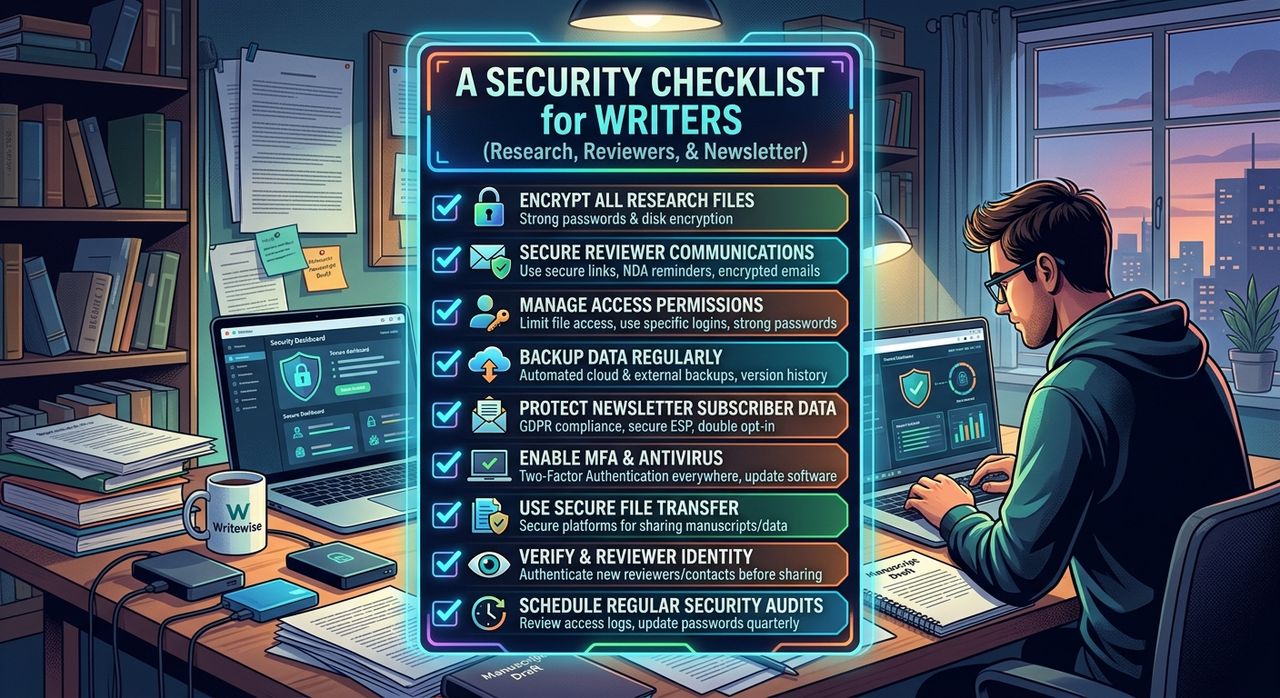
Writers aren't most people's idea of a security target. But look at what a working writer handles in a month: dozens of downloaded PDFs, emails from strangers claiming to be editors, a newsletter sent from their own domain, and unpublished drafts passed around to reviewers. Each one is a way in.
This checklist covers the places writers most often get caught out, with a free check for each.
Key points:
1. Scan research files before you open or import them, especially PDFs and Office documents from people you don't know.
2. Treat unexpected "editor" or "publisher" emails as suspicious until the link checks out.
3. Protect your newsletter domain with SPF, DKIM and DMARC, and share drafts through links you can take back.
1. Research Files: Scan Before You Open
Research means downloading things. Reports, court filings, academic papers, spreadsheets from a source who "just wants to help." Most are fine. Some aren't.
PDFs are the classic risk. A PDF isn't just a page. It's a tree of objects that can include JavaScript, automatic actions and embedded files, none of which a normal document needs. Scan.now's guide to malicious PDF files walks through how that works and which warning signs scanners look for.
Before a file goes anywhere near your research folder:
- Run it through the file scanner. It takes files up to 64 MB, analyses them in memory and never stores them. It looks for hidden executables, Office macros, PDF JavaScript, double extensions and archive bombs.
- Read the result carefully. A clean verdict means none of the indicators fired. It's not a guarantee, so stay careful with anything from a stranger.
- Be extra wary of Office files that ask you to "Enable Content." It's still one of the most common ways malware gets in.
Once a file checks out, put it somewhere you'll actually use it. If you write long pieces, a research notebook that keeps page numbers with every source is worth having. In Strut, you can import PDFs, Word files and spreadsheets into the project you're writing; it shows the original beside the extracted text, and answers questions about a source with page citations you can check. Scan first, import second, and the only files in your workspace are ones you've looked at.
It also helps to note where each file came from as you save it: who sent it, when, and why you trust it. That habit is the backbone of good citation management for writers, and it doubles as a security log when a file later turns out to be dodgy.
2. Fake Editors and Publishing Scams
Writers get their own brand of phishing. "We loved your piece and want to commission a follow-up." "Your manuscript has been shortlisted, click here to sign." "Here's the edited draft, log in to view it."
These work because they're exactly what you hope to hear. So slow down on any message that:
- Comes from an address that doesn't match the publication's domain
- Asks you to log in to see a document
- Pushes urgency ("sign today or we go to the next writer")
- Asks for money up front for "editing" or "placement"
Don't click. Copy the link and paste it into the phishing URL checker instead. It opens the link from Scan.now's server, follows every redirect to the real destination, and flags the usual tricks: lookalike domains, punycode characters, link shorteners and brand names sitting in the wrong part of the address.
If a real editor contacted you, they'll still be real after you check their website and reply through an address you found yourself.
3. Passwords on the Accounts That Hold Your Work
Think about where your unpublished work lives. Your email. Your cloud drive. Your writing app. Your newsletter platform. If one password opens several of those, one breach opens all of them.
Check your main passwords with the password breach checker. It never sends the password itself. The strength test runs in your browser, and the breach lookup sends only the first five characters of a SHA-1 hash, a method called k-anonymity. If a password turns up in a breach, change it everywhere you've used it.
Then turn on two-factor authentication for your email first. Email is the reset key for everything else.
4. Your Newsletter and Author Website
If you send a newsletter from your own domain, someone can pretend to be you. That matters, because your readers trust your emails enough to click.
Three DNS records stop most of this:
| Record | What it does | What happens without it |
|---|---|---|
| SPF | Lists the servers allowed to send mail for your domain | Anyone can claim to send as you |
| DKIM | Signs your messages so receivers can verify them | Tampered mail looks just like real mail |
| DMARC | Tells receivers what to do with mail that fails the checks | Spoofed mail gets delivered anyway |
Run your domain through the SPF, DKIM and DMARC checker. It shows what's missing and, just as useful, whether your DMARC policy is actually rejecting spoofed mail or only watching it.
Lots of authors also run a WordPress site for their portfolio or book pages. Old plugins are the usual weak spot. The WordPress vulnerability scanner works out your plugins, theme and core version from public information and matches them against a database of known vulnerabilities. It doesn't send attack payloads or try to log in. Update anything it flags.
5. Sharing Drafts With Reviewers
The last risk is quieter. You send a draft to a reviewer as an attachment. They forward it. Now three versions of your unpublished book sit in inboxes you don't control, and you can't take any of them back.
Better habits:
- Share a link, not a file, so you can withdraw access later.
- Give reviewers read-only access. They should be able to comment, not change the text.
- Set an expiry date on anything sensitive.
- Send a fixed snapshot, so what reviewers see doesn't shift while you keep editing.
A Quick Monthly Routine
You don't need to do all of this every day. Once a month is plenty:
- Scan any research files still sitting in your downloads folder.
- Check your email domain records if you've switched newsletter providers.
- Run the WordPress scan and update whatever it flags.
- Revoke review links you no longer need.
- Change any password that's shown up in a breach.
The Short Version
Scan files before you open them, check links before you click them, lock down your email domain, and share drafts through links you control. None of it takes long, and it protects the thing that's hardest to replace: work you haven't published yet.
Write your next long piece in Strut
Keep rough notes, sources and drafts in one project, with AI that works on the passage you select rather than replacing your voice.